

Accounting and operations
See each branch and department, and plan the year
Tag lines with a cost centre and documents with a branch, and the profit and loss splits by department, activity or location, with a balance sheet for each branch. Then set a monthly budget for the year and compare it with the actual figures. All of it is on every plan.
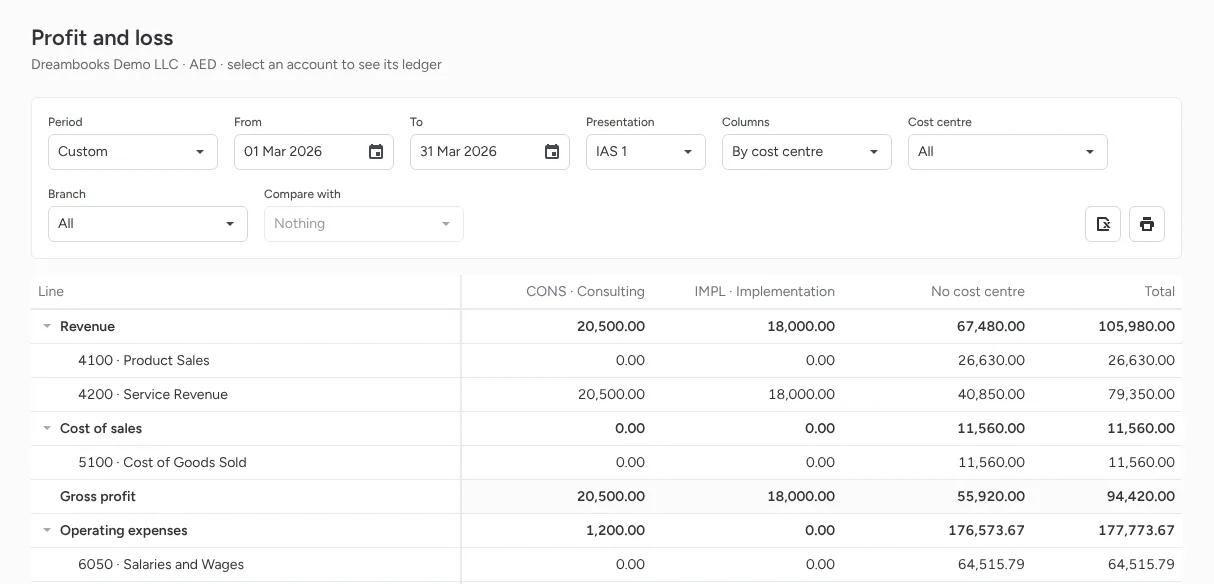
Cost centres on every line
Put a cost centre on invoice, bill, expense and journal lines to see profit and loss for each department, project or activity. A new line copies the cost centre above it, and the fields only appear once you add your first cost centre.
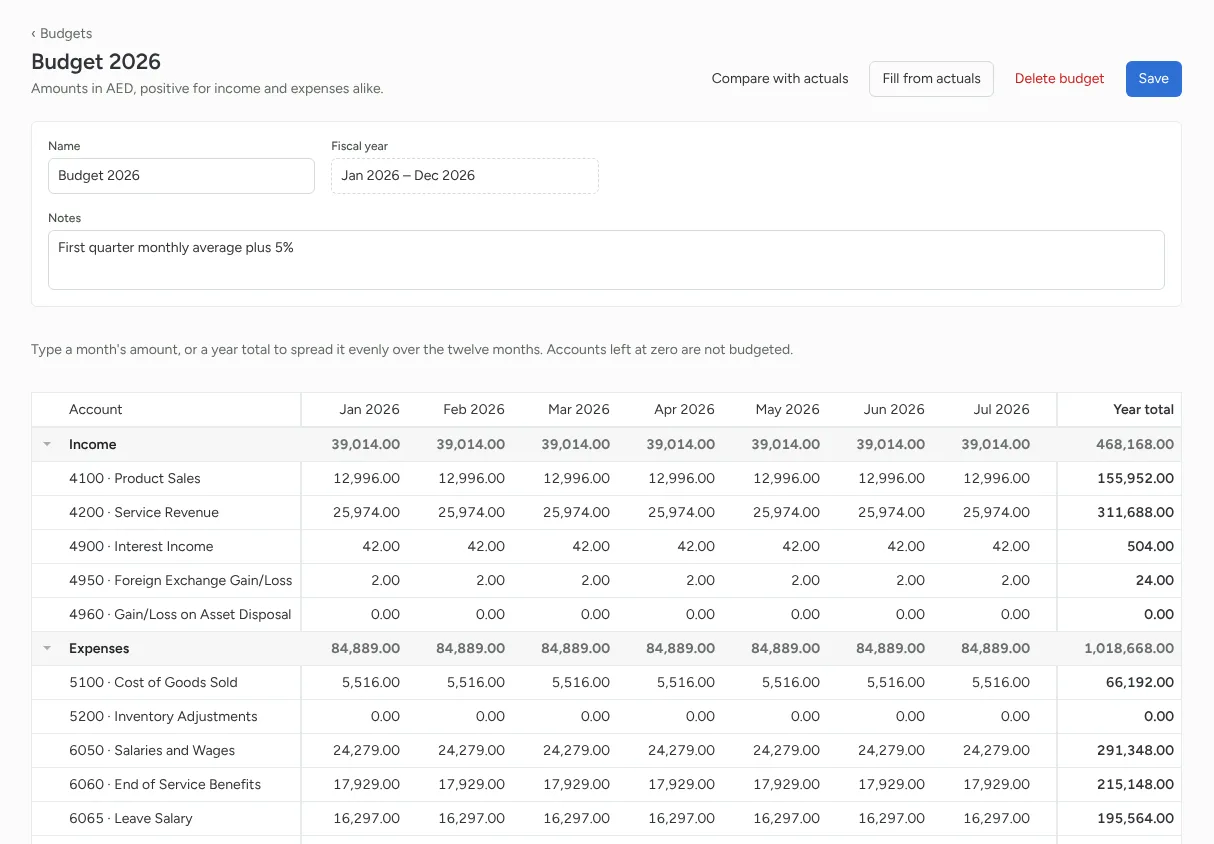
Budgets by month
Reports, Budgets holds a budget per fiscal year for the whole company or for one cost centre or branch. Type each month, or a year total that spreads evenly, or fill it from last year's actuals raised or lowered by a percentage.
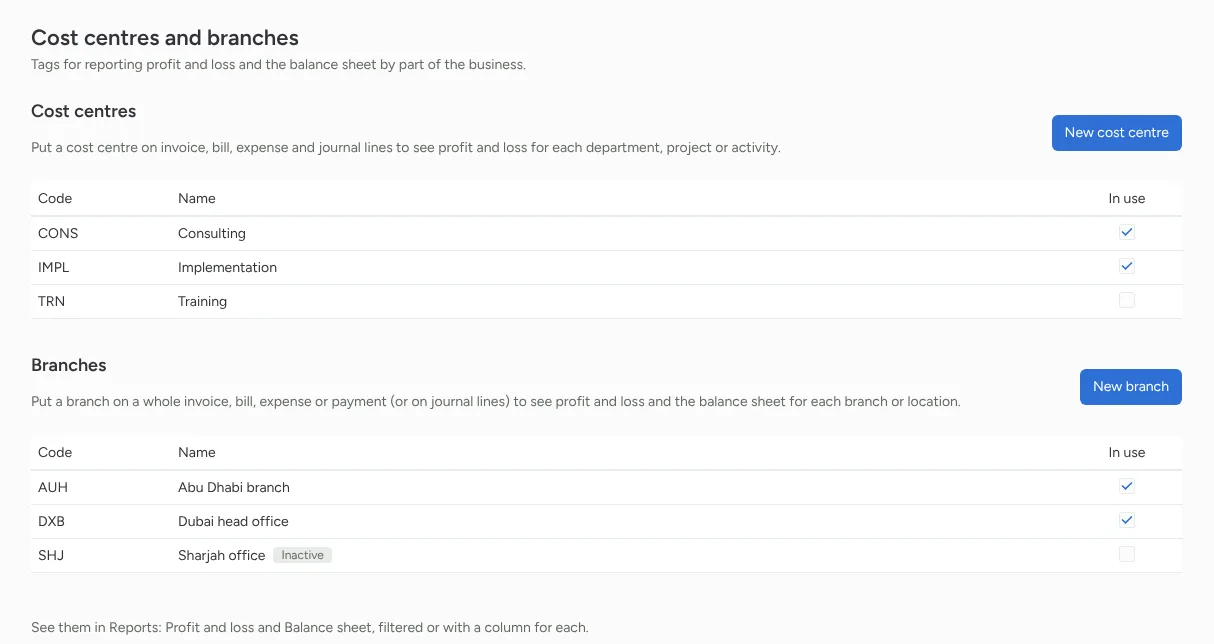
Branches with their own balance sheet
Set the branch on a whole invoice, bill, expense or payment, and every ledger line of it carries the branch. That's why each branch's balance sheet balances. A payment takes the branch of the documents it settles.
Reports filtered or side by side
Filter the profit and loss by cost centre or branch, or show a column for each one with a total. The balance sheet can be filtered by branch or shown branch by branch. Reversals, credit notes, recurring documents and cost of sales keep their tags, so the split stays right.
Budget against actual in the profit and loss
Pick a budget under Compare with, and the profit and loss shows actual, budget and the difference for each account, so you can see where income fell short or spending ran over. A branch budget compares with that branch's figures only.
Features
Everything your finance work needs, connected
From daily bookkeeping to tax filing, and from winning a client to getting their signature, every module shares one ledger. No more copying between apps.
Accounting and operations
Double-entry books, stock, salaries and every currency, on one ledger.
UAE tax and compliance
E-invoicing, VAT, corporate tax and excise prepared from the books, plus IFRS 18 reporting.
For accounting firms
Win clients, run engagements, collect documents and never miss a deadline.
Documents and messaging
Attachments, comments and @mentions, AI that reads your documents, a WhatsApp inbox and e-signatures.
Control, AI and switching
Approvals, roles and audit trail, your books inside Claude and ChatGPT, and imports from your old system.